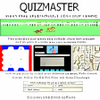
Engage students with interactive learning through quiz games, a versatile test creator, and customizable quiz editing tools
Engage students with interactive learning through quiz games, a versatile test creator, and customizable quiz editing tools
Vote (28 votes)
Program license Full
Developer Discovery Educational Software
Version 1.2.5
Works under Windows
Vote
(28 votes)
Developer
Discovery Educational Software
Works under
Windows
Program license
Full
Version
1.2.5
Pros
- Intuitive interface with easy quiz creation tools
- Supports single-player and multi-player games
- Customizable quizzes for any subject or language
- Instant feedback and performance tracking
- Includes visual options with image support
Cons
- Limited to true/false and multiple-choice question types
- Graphics and game design may feel basic compared to modern educational apps
- No online multiplayer or sharing features
A versatile quiz-making tool featuring interactive games and a custom editor.
Overview
Quizmaster is a feature-rich application designed for creating and delivering educational quizzes and games. This software caters to teachers and trainers seeking to make their sessions more interactive and enjoyable, offering a mix of ready-made game templates and extensive customization options.
User Interface and Setup
Quizmaster provides a clear and functional interface that makes quiz creation straightforward. Navigation is intuitive, allowing users to access editing tools, game selections, and test results efficiently. The layout supports both classroom use on interactive whiteboards and solo practice on personal computers.
Quiz Games and Modes
The software includes five distinct educational games. For two players, users can choose from Connections, Snakes and Ladders, or At the Races, promoting competitive learning. Single players can engage with Millionaire and The Sky’s the Limit, which resemble popular TV quiz shows for a familiar and entertaining format.
Each game is designed to reinforce knowledge across a range of subjects, and the multiplayer options encourage participation and collaborative learning, making it suitable for classroom environments.
Quiz Editor and Customization
Quizmaster's powerful Editor is a standout feature, enabling the creation of quizzes tailored to any subject or language. Users can author questions using true/false or multiple-choice formats, with support for up to five answer options and the flexibility to specify multiple correct responses. The editor accommodates foreign characters and mathematical symbols, making it suitable for language and STEM subjects alike.
Tests may include images to enhance visual learning or provide context for questions. This flexibility allows educators to adapt materials for all levels, from elementary to advanced.
Feedback and Results
Test-takers receive instant feedback on their responses, which aids learning retention. The software also logs performance data, helping instructors track progress and identify knowledge gaps over time. This feature is valuable for both formative assessment and ongoing evaluation.
Multilingual and Inclusive Design
Quizmaster is capable of supporting any language, thanks to its foreign character input and custom content creation. This makes it accessible for diverse classrooms and encourages inclusive education practices worldwide.
Performance and Compatibility
The program runs efficiently on most modern Windows systems with minimal resource demands. Installation is quick, and the application performs reliably during both creation and gameplay.
Summary
Quizmaster is an adaptable solution for educators and trainers aiming to inject fun and interactivity into their lessons. Its combination of customizable quizzes, game-based learning, and robust feedback tools makes it a valuable resource for a variety of teaching environments.
Pros
- Intuitive interface with easy quiz creation tools
- Supports single-player and multi-player games
- Customizable quizzes for any subject or language
- Instant feedback and performance tracking
- Includes visual options with image support
Cons
- Limited to true/false and multiple-choice question types
- Graphics and game design may feel basic compared to modern educational apps
- No online multiplayer or sharing features